Document programmes
Standardise inconsistent and outdated PowerPoint and Word documents
As documents are copied, reused, and adapted across teams, standards begin to slip. Layouts drift, old branded elements reappear, and different versions of the same document start circulating across the business.
Document standardisation is not just about identifying those issues. It is about correcting the documents themselves, so they follow a clearer and more consistent standard across the business.
Why documents become harder to manage over time.
Most businesses do not lose consistency all at once. It happens gradually as documents are reused, edited, and adapted over time.
A team reuses an older report because it is quicker than starting again. A department creates its own version of a proposal. A template exists, but people work around it. Manual edits build up over time. Before long, similar documents are being produced in very different ways.
That creates more than visual inconsistency. It leads to wasted time, duplicate effort, weaker brand control, and documents that become harder to maintain as the business grows.
The difference with document standardisation is that the work does not stop at spotting the problem. We correct the files, align them to a clearer standard, and return updated documents that are ready to use.
What document standardisation helps address
A standardisation project helps identify the patterns that are causing documents to drift away from the standards your business wants to maintain.
- 01
Inconsistent layouts
Documents that should follow the same structure often end up looking different across teams, departments, or document owners.
- 02
Outdated document versions
Older files remain in use long after better templates or updated layouts are available.
- 03
Manual formatting habits
Repeated manual edits weaken consistency over time and make documents harder to manage.
- 04
Weak template use
Templates may exist, but teams often return to old files or create workarounds instead of using them properly.
- 05
Duplicate document types
The same kind of document may exist in several forms across the business, with no single version acting as the standard.
- 06
Poor basics for future changes
When documents are inconsistent now, rebrands, governance, and future updates become much harder to manage later.
Ready for AI
Standardised documents are AI-ready documents
One consistent structure across your library means AI tools produce, edit and summarise documents predictably — instead of inheriting every inconsistency your estate contains.
AI-ready templates- One style system across the library
- Predictable output from AI tools
- Fewer AI-generated documents to fix
We do not just review the documents. We standardise and correct them.
Document standardisation goes beyond identifying what is wrong.
We work through the files that matter most and correct the issues that are weakening consistency. That can include aligning layouts, correcting styles, updating branding, reducing unnecessary variation, and bringing similar document types into a clearer and more usable standard.
The aim is not simply to point out inconsistency. It is to change the documents themselves so they are more consistent, more reliable, and easier to use across the business.
For some businesses, that means correcting key legacy files so they align with current templates and standards. For others, it means bringing multiple versions of the same document type back into one clearer structure. In both cases, the value comes from the fact that the files are actually improved, not just assessed.
That is the difference between an audit and a standardisation project. An audit tells you where the issues are. Standardisation corrects them.
How it works
- Step 01
Secure document upload
We create a secure SharePoint site where your team can upload the documents, templates, brand guidelines, and supporting files you want included in the project.
- Step 02
Review and standardisation
We review the files and correct the issues affecting consistency, bringing styles, layouts, branding, and structure into line.
- Step 03
Secure download of updated files
Your team can then download the updated documents from the SharePoint site, with the files corrected, styled consistently, and ready for use.
What you get from document standardisation
Document standardisation gives your business more than a list of issues. It gives you corrected documents that follow a clearer and more consistent standard.
That can mean reducing duplication, improving consistency across layouts and document types, bringing older files into line with current standards, and creating a stronger structure for future use. The result is a set of documents that are easier to maintain, easier to update, and more reliable across the business.
Rather than simply identifying where standards have slipped, the work focuses on correcting the files that matter most so the business can move forward with stronger consistency in practice.
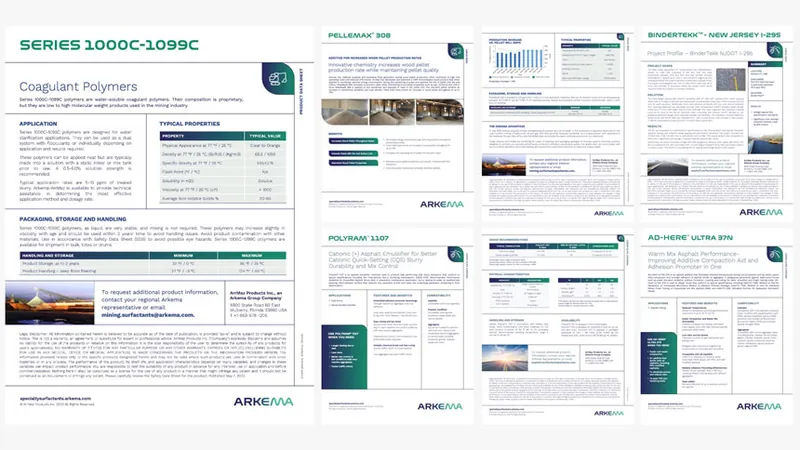
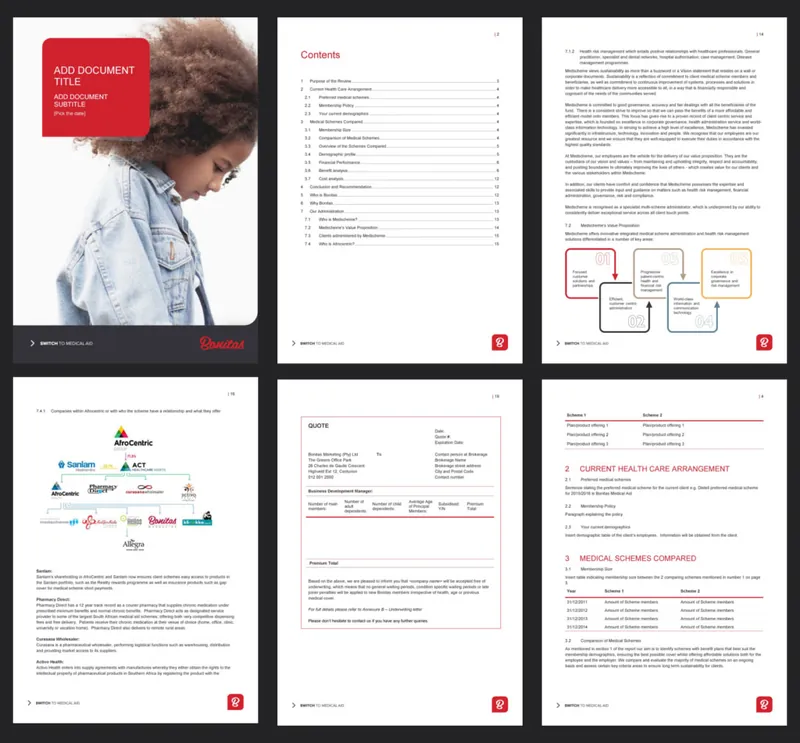
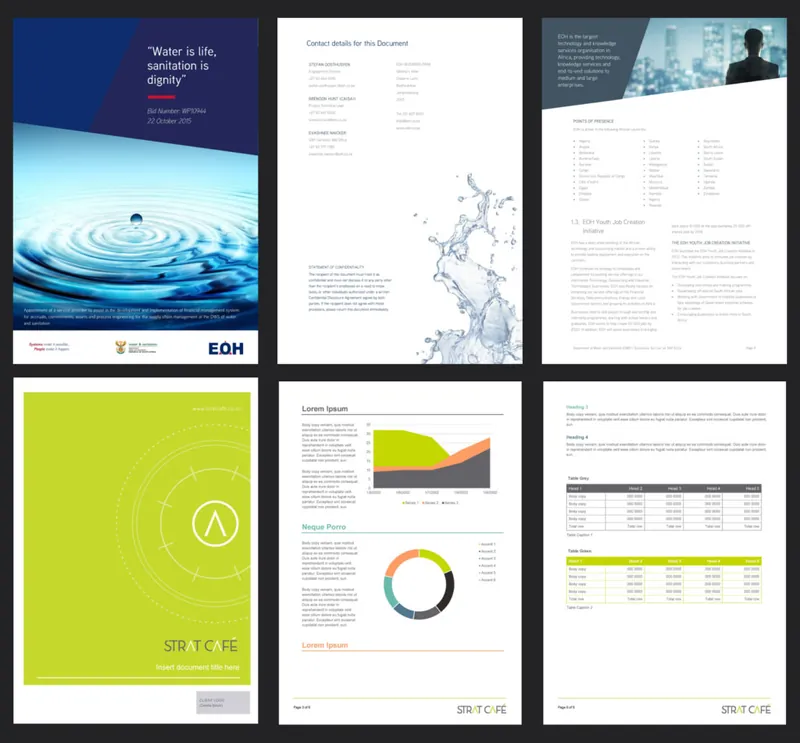
Selected work
Recent work
What clients say
“If you’ve tried doing it yourself before, you’ll understand the complexity of actually getting the base templates right. It’s a very rare skill set to have, and actually deliver something that works. These are more than templates – they are assets and we use them on a daily basis.”
“I needed a series of branded templates for our marketing toolkit, and they had to be user-friendly enough that anyone on our staff could modify them to suit their needs. Deb’s designs not only look great and fit our brand, they are thoughtfully created and flexible enough to suit all of our use cases.”
“Worker Ant were the perfect company to redesign and update all of our office templates. They provided a good balance of artistic design and technical knowhow to build beautiful and robust templates. They were responsive and friendly throughout the design process, providing brilliant suggestions and incorporating our feedback.”
Start a project
Need help correcting inconsistent documents, not just identifying the problem?
Share a representative sample of documents with us and we will review them for inconsistency, outdated layouts, duplicate versions, template drift, and manual formatting issues.
To keep the process simple and secure, we create a dedicated SharePoint site where your team can upload the files, templates, brand guidelines, and supporting documents you want included in the project.
We then standardise the documents, correct the issues affecting consistency, and make the updated files available for secure download once the work is complete.
We reply within one working day.