Document programmes
Brand rollout across PowerPoint, Word and Excel
A rebrand does not succeed just because the new identity has been approved. It succeeds when the documents your teams use every day reflect it properly.
Rebrand rollout helps carry a new brand into reports, proposals, presentations, templates, and working files, so the business moves forward with more consistency and less confusion.
The problem is not the new brand. It is the old documents that stay in use and are forgotten or updated incorrectly.
Most rebrands start strongly. The new logo is approved, the colours are defined, and the brand guidelines are signed off. The difficulty usually comes afterwards.
Old reports are still being reused. Legacy templates remain in circulation. Teams keep working from familiar files because they are quicker to use than starting again. Different departments apply the new brand in different ways. Before long, the business has a new identity in theory, but inconsistent documents in practice.
That creates confusion, weakens the rollout, and makes the brand feel less controlled than it should. It also means the value of the rebrand is diluted every time an outdated or inconsistent document is sent out.
Rebrand rollout is about correcting that. It helps ensure the files people use every day reflect the new brand properly, consistently, and at the right level of quality.
What rebrand rollout helps correct
A rollout project helps address the practical issues that stop a new brand being applied consistently across business documents.
- 01
Outdated branded files
Older documents often stay in use long after a rebrand has been approved, especially when teams rely on familiar files.
- 02
Legacy templates
Existing templates may no longer reflect the new identity, but still continue to shape what teams produce.
- 03
Inconsistent implementation
Different departments often apply the new brand in different ways, creating uneven results across the business.
- 04
Reused old content
People often copy from previous documents, carrying old branding, layouts, and visual elements into new work.
- 05
Gaps between design and use
A brand may look strong in guidelines, but everyday working documents often fall behind without proper implementation.
- 06
Weak future consistency
If rollout is incomplete, the same inconsistencies continue and make future governance much harder.
Ready for AI
A new brand your AI tools actually use
If old templates stay where Copilot can find them, AI will keep producing the old brand. We retire legacy files and publish the new templates where your AI tools look first.
AI-ready templates- Legacy templates retired
- New templates in your organisation asset library
- Prompt guides for the new brand
We do not only update the documents to reflect the new brand. We build correct styles, user guides and offer user training videos to future proof them too.
Rebrand rollout is not just about spotting where old branding still appears. It is about updating the documents that matter most so the new identity is carried through properly.
We work through the files that are still in use and correct the issues that weaken consistency. That can include updating layouts, applying new brand elements, replacing outdated styling, improving templates, and bringing legacy files into line with the approved direction.
The aim is not only to make documents look newer. It is to make sure the new brand is applied consistently across the working files your teams rely on every day.
For some businesses, that means updating a core group of templates and key document types first. For others, it means working through a wider set of legacy files that are still shaping outputs across the business.
That is the difference between having a new brand and actually rolling it out. The brand is not just defined. It is applied.
How it works
- Step 01
Secure document upload
We create a secure SharePoint site where your team can upload the documents, templates, brand guidelines, and supporting files you want included in the project.
- Step 02
Rebrand rollout and update
We review the files and update them so layouts, styles, branding, and structure reflect the new identity more consistently across the document set.
- Step 03
Secure download of updated files
Your team can then download the updated documents from the SharePoint site, with the files rebranded, corrected, and ready for use.
What you get from rebrand rollout
Rebrand rollout gives your business more than a new visual identity. It gives you updated working documents that reflect that identity properly.
That can mean replacing outdated branding, updating templates, improving consistency across document types, and bringing legacy files into line with the new direction. The result is a set of documents that are more consistent, more current, and more reliable across the business.
Rather than leaving teams to adapt old files themselves, the work focuses on updating the documents that matter most so the new brand is used more clearly and consistently in practice.
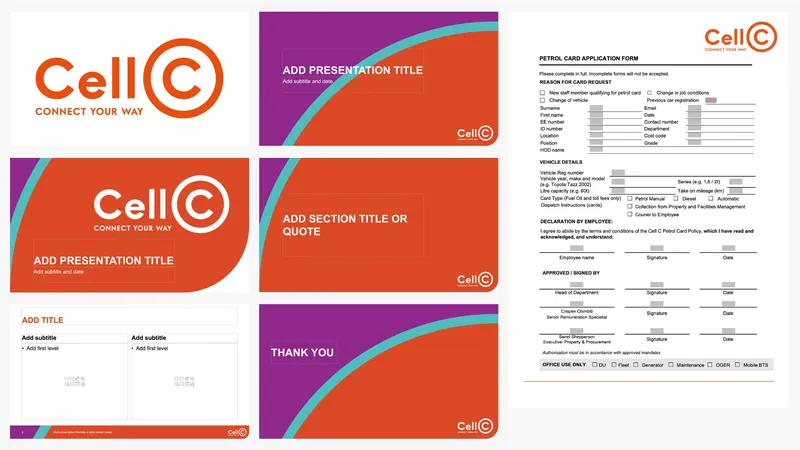
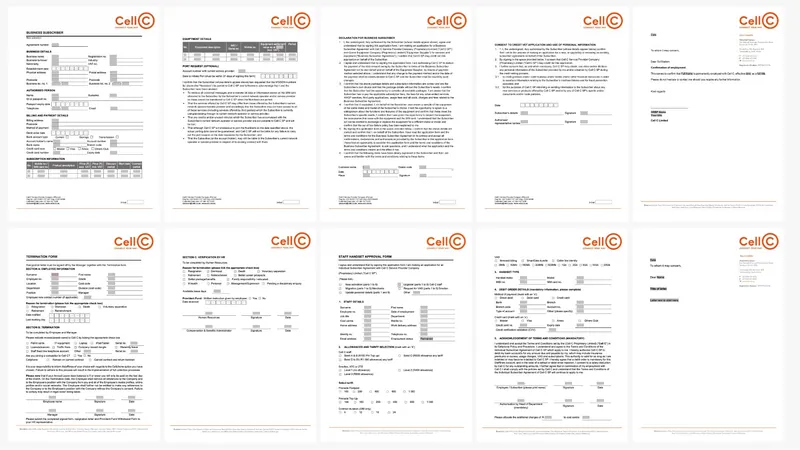
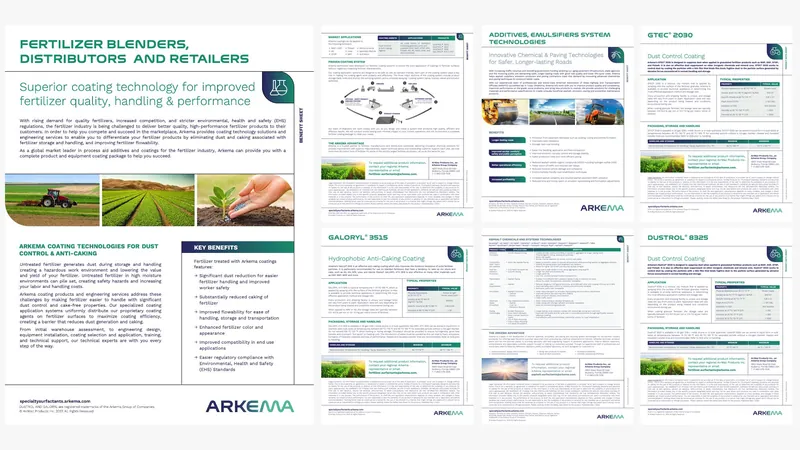
Selected work
Recent work
What clients say
“If you’ve tried doing it yourself before, you’ll understand the complexity of actually getting the base templates right. It’s a very rare skill set to have, and actually deliver something that works. These are more than templates – they are assets and we use them on a daily basis.”
“I needed a series of branded templates for our marketing toolkit, and they had to be user-friendly enough that anyone on our staff could modify them to suit their needs. Deb’s designs not only look great and fit our brand, they are thoughtfully created and flexible enough to suit all of our use cases.”
“Worker Ant were the perfect company to redesign and update all of our office templates. They provided a good balance of artistic design and technical knowhow to build beautiful and robust templates. They were responsive and friendly throughout the design process, providing brilliant suggestions and incorporating our feedback.”
Start a project
Need help rolling out a new brand across the documents your teams still use?
Share a representative sample of documents with us and we will review them for outdated branding, inconsistent layouts, legacy templates, reused old content, and other issues that may be weakening the rollout.
To keep the process simple and secure, we create a dedicated SharePoint site where your team can upload the files, templates, brand guidelines, and supporting documents you want included in the project.
We then update the documents, apply the new brand more consistently, and make the revised files available for secure download once the work is complete.
We reply within one working day.